Net10 Motorola W408g Review
Prepaid Flip Phone with MP3 Player and 1.3 MP Camera
A Net10 Motorola W408g flip phone provides an MP3 music player and 1.3 megapixel camera for a very affordable price. This successor to the W375, W376g and W377g keeps the basic look while adding the above mentioned features and a few other small improvements. Feature-wise this is the best Net10 flip phone you can currently get, but let's take a look at some of the details to see how it is to use.
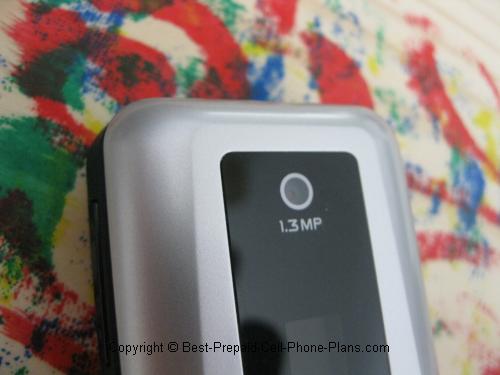
1.3 Megapixel Camera
It's great to finally have a Net10 flip phone with a megapixel camera. Previously this was only available on their slider phones. You can take up to 16 photos using the internal memory. A convenient counter estimates how many photos you can still take with the space that's available.
The brightness setting on the camera is set to +3 by default to try and get usable photos indoor. Outdoor pics seem okay as well at that rating, so you probably don't want to adjust that down unless you really need to.
Here are two pics taken with the W408g, one indoor and one outdoor, taken at the same time of the day. The photo of the flowers was adjusted using auto-levels in a photo-editor.

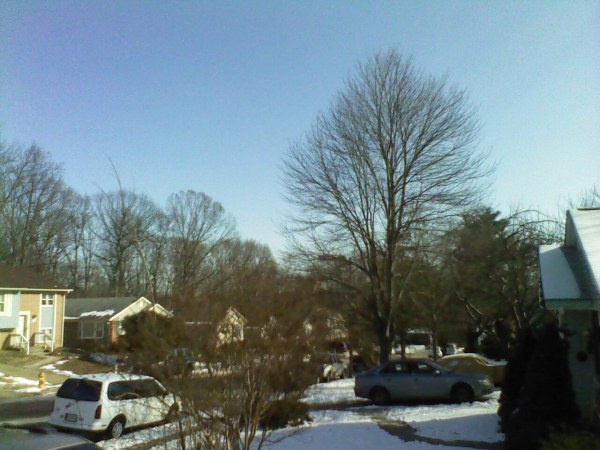
I feel the photos are not quite as good as those taken with the Samsung T401g or the LG 900g, but not bad either.
Camera Interface
The camera interface is a little different. I feel it takes up a little too much screen area. It's also not transparent, so there less room for the picture as it appears in the viewfinder.
Transfer files using Bluetooth or USB cable
You can transfer your files using Bluetooth or by hooking the phone to your computer by USB cable.
MP3 Player and FM Radio
One-button Access to Music Player
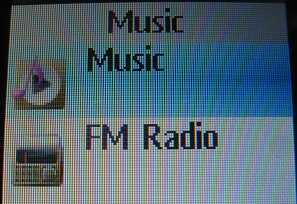
The Motorola W408g features one button access to the MP3 music player by pressing either button with the music symbol on the keypad or the Smart Key. Pressing the first button brings up the file folder that holds all your songs. It also tells you if no files are available, as is the case when you first get the phone and also if there's no memory card inserted.
There are two advantages to this one-button access. One is the access itself. The other is that it replaces the one-button access to the web browser on the previous generations of this phone. This means you'll no longer have to worry as much about accidentally pressing the web browser button and unintentionally using up a minute of your airtime. The top right "soft key" does still provide direct access to the web browser. This key usually isn't pressed by mistake, but (I think) you can reprogram that key if you want.
FM Radio and the Smart Key
One reader couldn't find the FM radio that was supposed to be on this phone as stated in the description on NET10's width="1" height="1" border="0"/> site. I took a look and couldn't find it either. The manual says that you "Press the Smart Key and choose Music -> FM Radio". So I went ahead and pressed the key with the music symbol and didn't see the option for the radio.
Found the Smart Key
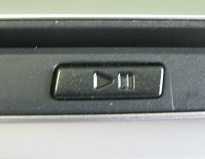
Then I read the manual again and saw that the Smart Key on the Net10 Motorola W408g was actually the small key on the side with the Play/Pause button and not the button on the keypad. Once I found it, I could activate the FM radio.
2.5 mm Jack
Unfortunately, there is a 2.5 mm jack on the side of the handset. This means you will need a 2.5 mm to 3.5 mm adapter if you want to use your regular stereo earphones to listen to music. Luckily, these are pretty easy to find.
Mobile Web Access
You have mobile web access on this Net10 phone. You can't view all URLs, but you have a pretty good selection of options.
Download Ringtones and Graphics
Yes, you have the option to download additional ringtones and graphics for a fee. I recommend going to the website first to preview and buy the ringtones rather than wasting airtime doing it online.
Facebook Access
Believe it or not, Facebook is on the main web browser menu. You can login with either your email or phone number (once you've set it up in your FB account). Of course, the small screen and the phone's capabilities means you're not going to be playing your favorite Facebook games, but at least you have access to status updates etc.
Weather, News and Sports
You can check the weather as well as real news and sports news.
Email and Networking and more.
You can use the search engines and check your Google, MSN, and Yahoo! emails. There are some additional sites as well.
How fast (or slow) is it
The OpenWave browser does take a while to launch which can be a little frustrating. After that you are able to navigate the sites fairly quickly.
When I accessed the web on my Net10 Motorola W408g I made a few mistakes, checked my weather and went to the login page of Facebook. For this activity I was charged three minutes of airtime. This compares well with the two minutes I get charged to just check the weather on the T401g.
Basic Motorola W408g Features
Now let's take a look at some of the basic features for everyday use of the phone.
Improved Keypad
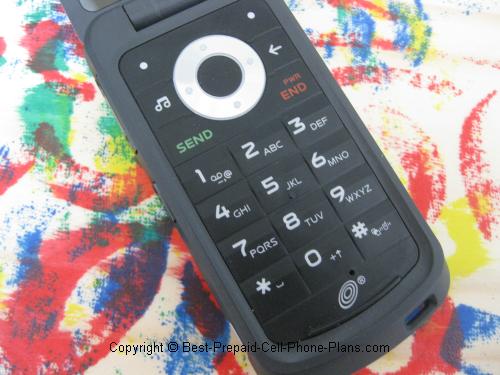
The keypad on the Motorola W408g is much improved over that on the W376g. The buttons on the W408g slope upward slightly to form a ridge which makes it easy for your fingers to locate and press them.
Good Backlight
The blue (purple) backlight on is nice and bright even in a well-lit room making it attractive and easy to use.
Home Screen
The home screen has a few changes from the last Net10 phone I activated.
Large Visible Clock
The time is displayed in a large font near the bottom of the screen. It is also prominently displayed on the small external (black and white) screen so you don't have to open up the phone to check the time. (To activate the external screen just press the top side button once.)
Font on Dialing Numbers
Dialing numbers feels a little funky at first because of the way the display works. The first six letters you type in are displayed in the same big font size as the time, but as soon as you add the seventh digit (out of ten including the area code) the display shifts to a smaller font size to accommodate all the numbers.
This is a little disconcerting at first because it can throw you off. After a couple of times doing this however, you get used to it. Finally, if you tend to call the same people most of the time, then you're usually using the contacts, speed dial, or recent calls to do the dialing for you, so it's probably not an issue.
Otherwise, pretty much everything else is standard on the home screen.
Tools
There is a small set of tools and utilities on this phone.
Calculator
The calculator on the W408g is basic but easy to use. The addition, multiplication, subtraction and division signs are chosen on the circular button. There is a currency converter in the options menu along with the ability to store the result of your calculations.
A calculator is always useful when shopping for figuring out whether the economy size package is really cheaper per item or by weight.
Calendar
The calendar on the phone is somewhat useful. You can store your events, reminders and tasks and send them to a cell phone or email address via an MMS message. You can't however, sync the whole calendar with any of your other calendar apps.
Other tools include an alarm clock and a stopwatch. There is no timer, however.
Phonebook
You can store up to 1000 entries in the phone's address book. For each contact you can store their name and photo. You can store their mobile, home, work, fax, and "other" number. You can also store their personal and work email addresses. Finally, you can assign each contact a ringtone and a message tone.
Games - Sudoku and Tetris
The Net10 Motorola W408g comes with two games, Sudoku and Tetris.
Sudoku
The Sudoku game on the W408g has a few extra features compared to versions on the Samsung and LG phones. When your cursor is on a particular square, the corresponding row, column and nine-square unit are all highlighted. This can be convenient depending on how you go about solving these puzzles.
Use a "Pen" or "Pencil"
Another nice feature is that you can choose between using a "pencil" or a pen when solving a Sudoku puzzle on the Net10 Motorola W408g. When you enter a number with a pencil, the square gets a dashed line around it instead of a solid line when you use a pen. This gives you a way of keeping track of when you're sure of a number and when you're guessing.
Show/Don't Show Sudoku Errors
You even have the option to show or not show any errors you've made when solving the puzzle. My preference is to not show them, otherwise it ruins the fun. On the other hand, it sometimes takes me days (playing on and off) to solve a puzzle so you may have a different opinion.
Tetris
This addicting game's 25th anniversary was celebrated in 2009. The game is as fun as ever on the Net10 Motorola W408g. Once you get used to the keys the phone assigns for moving left and right and flipping the pieces over.
Download Additional Games
You can download additional games from Net10's website for a small fee.
Physical Characteristics
Lightweight and Compact
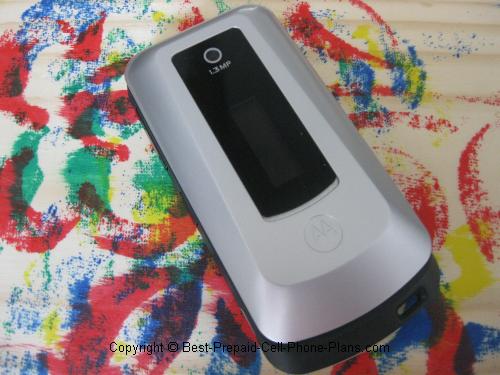
This Motorola phone is compact and weighs 2.7 ounces.
Battery Life
The phone is rated as having a talk time of 5 hours and standby time of 15 days. I've had the phone about 5 days since activating it, and it still has a charge. Of course, I have been playing around with it, which means it's not in true standby mode. My guess is that if you really left it untouched, it might last the rated 15 days.
W408g Manual
You can also check out the official Motorola W408g manual (pdf) here. Even though the manual says, "Getting Started," it is a pretty good document and not one of those quick start fold-out guides.
Get One?
As you can see, the Net10 Motorola W408g offers an attractive set of features at a great price. It has a few quirks. I wish the camera were a little better quality, but the presence of a mp3 music player pretty much makes up for that. If you're set on a Net10 flip phone, you should consider giving this one a try.
Got One?
Great, tell us about it!
Your W408g Review
Tell us about your experience with this Motorola phone!
What Other Visitors Have Said
Click below to see contributions from other visitors to this page...
Fix for low volume on calls 
Hello again, I'd like to describe a fix/'procedure'(that worked in my case anyway) in regards to a constant 'low volume' during a call(volume would not …
Down cell phone memory lane
One thing i find unusual about the Motorola W408g: where is the 'day & date' display on the home screen? You can certainly see that the time display is …
Full reception after no bars with samsung t401g
The t401g has lots of cool features but no signal have to walk around outside to make calls. Spent hours on phone with tech.support with no resolve. They …
Don't believe a word Net10 says,
I saw Net10 advertised on the window at Dollar General. It sounded like exactly what I needed. I called and spent over an hour talking to a woman who didn't …
Access and delete photos Not rated yet
I can't access my photos or delete them.
-------------
Hi Thomas,
Yeah, the user interface is not that clearly laid out. Assuming you've taken and …
Unreliable phone Not rated yet
We bought 2 of these phones about 9 months ago. Mine started freezing up had to remove battery to reset it, after 6 months and had to replace it. Now the …
Hard to import music? Not rated yet
I find I cant import mp3s to the phone. I got the data cable plugged it into pc and device doesn't support it. Just turns into a removable storage device …
How to disable the browser Not rated yet
Q: How to disable the web browser.
A: You can't really disable the web browser other than completely disabling communications by going into "Airplane …