Activate Net10 Phones
How to Activate a Samsung T401g
Here's how to activate Net10 phones. You can do it by calling customer support, but it's usually easier and quicker to activate online. In this example, I used a Samsung T401g phone with a qwerty keyboard.
** Holiday Note **
A couple of years ago I activated a Motorola W408g and got a note at the end that said, "Due to the holiday volume, the activation process may take 4 to 24 hours." My new activation still only took about 15 minutes, but I just wanted to let you know.
Back to the process...
Gather Your Stuff
Open the box, put in your battery (the SIM card should already be in the phone), and either charge it for a couple of hours or just leave it plugged into the charger during the activation process.
Make sure you have your Red card with the serial number handy.
Turn on the phone. Go to page on their website to activate Net10 phones. Click on the Activate/Reactivate Phone drop-down menu option.
Are You a New NET10 Customer?
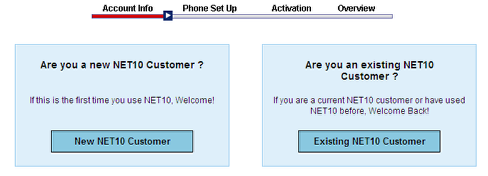
Choose the New Customer option unless you have used and activated one of their phones before.
Create an Account
Or Activate Net10 Phone Anonymously
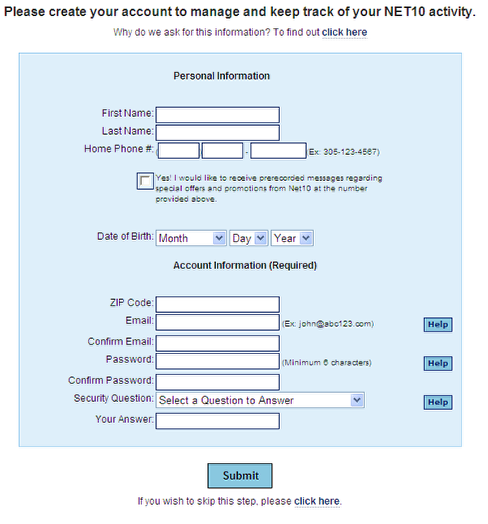
You can now create an account or go to the bottom of the screen and "click here" to activate without an account. With their sister company, Tracfone, the advantages of creating an account include receiving promo codes for bonus minutes.
With Net10 you also have the option to receive recorded messages with special offers at your Home Phone number. However, these messages do not include any airtime promo codes.
Receive Account Confirmation
If you do decide to create an account, you will receive a confirmation that includes the email address as your login name. Save your account details on a piece of paper or on your computer.
Choose whether you want a new number or wish to port a number. Identify your phone.
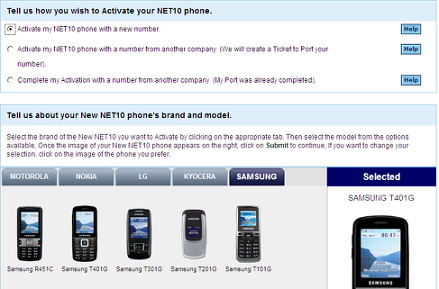
You choose whether you want to activate your phone with a new number or port a number from another phone. If you choose to port, a ticket is created, and you have to come back to the site later to complete the activation. Don't use this option if you have another Net10 phone. Then you can simply transfer the number in one step by going back to the beginning and choosing the Transfer Number option.
Enter Serial Number
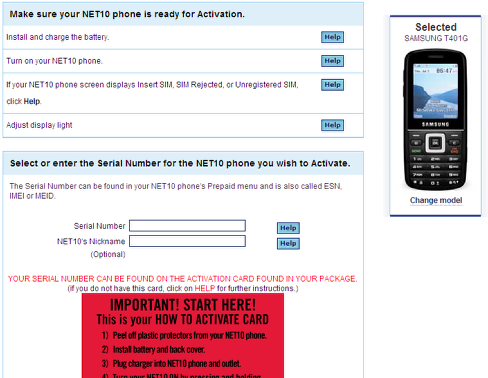
Enter the phone's Serial number. You can find it on the Red Card or in the phone's Prepaid Menu. It's sometimes easier to read it off the phone's screen as the number is broken down into groups of three digits. Don't put in the spaces when you enter it on the site though.
You can choose a nickname for the phone. I just usually use the phone model, since we're unlikely to have more than one model of a phone active at one time. However, if you have bought a couple of identical phones for your family, use a nickname that identifies each phone.
Enter a Zip Code
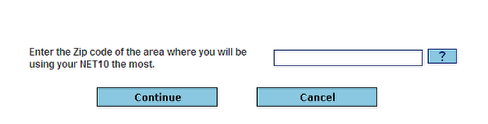
Enter the zip code where you'll be calling from most often.
Add airtime cards if you have any
You can choose to add any airtime cards you have right away or you can skip this step and add minutes later. You get 20 minutes free when you activate your Net10 phone online - just enough to test out the phone. Many phones also come bundled with an airtime card.
Steps to Complete Activation
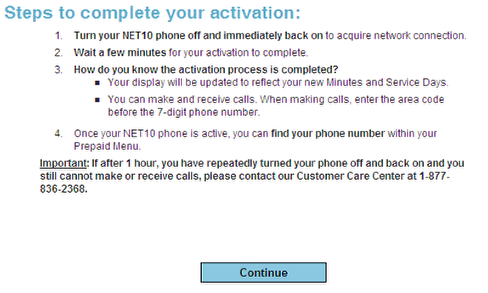
Turn your phone off and then back on. It is supposed to just a few minutes to update. Let's check.
Success?
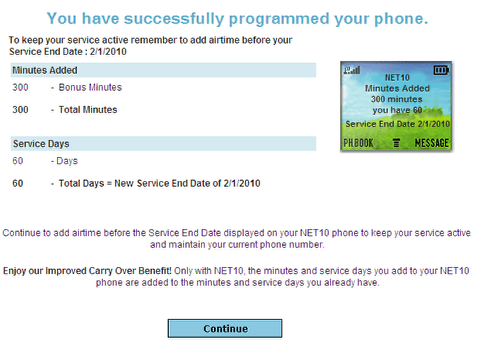
Their website says the process has been successful and that 300 minutes has
been added to my phone. However, the phone itself has not yet been updated.
After a few minutes, the date and time update are updated on the screen, but the airtime info still shows zero minutes and zero service days.
Yes!
Another few minutes later, the screen updates again, and the display now shows 300 minutes, 60 service days and a new phone number!